My CV

One app. Three ways I work.

I don't force your organisation into a box. Pick the way you work below and I'll show you everything I do for you: what each feature is, what it does for you, and why it earns its keep.

In appointment mode, I keep slots tidy.

For places where the diary must be watertight: same-length sessions, back to back, no gaps and no doubt.

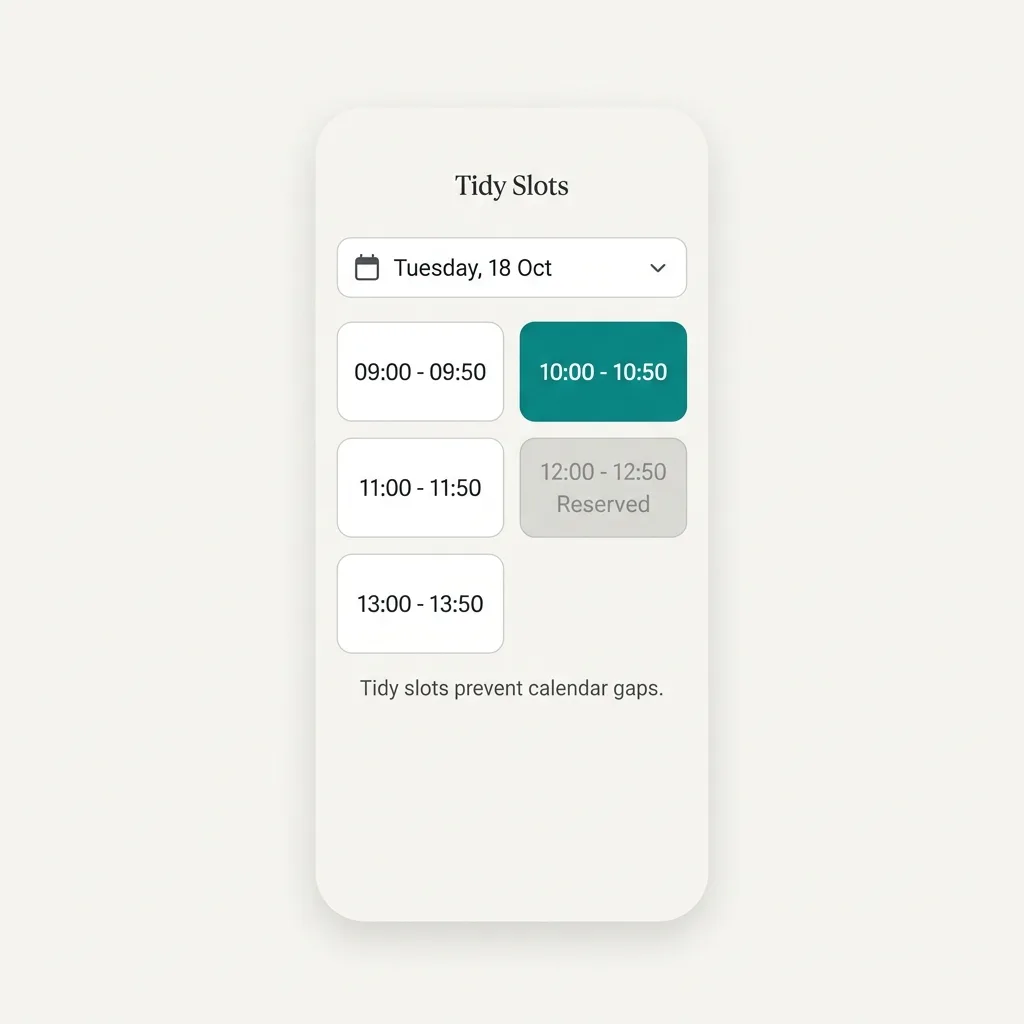
Automatic slot grid

What it is

Tell me once how long a session runs (15 minutes to 2 hours) and when each day starts. I turn every room's day into tidy, tappable slots.

The benefit

Your people book a whole session with one tap. No typing times, no deciding when to start.

Why it matters

Free-typed times leave 20-minute crumbs between bookings that nobody can use. A grid keeps every bookable minute bookable.
Clash lock

What it is

My availability check and the booking itself happen as one indivisible action. There is no gap for a second booking to sneak through.

The benefit

Two people can tap the same slot at the same second and exactly one of them gets it. The other knows immediately, not on the day.

Why it matters

One double-booked room is one client standing in a corridor. Shared calendars merely hope this won't happen. I make it impossible.

"You're already booked" warnings

What it is

If a slot overlaps something you already have, I grey it out and tell you where you're meant to be: "You're booked 10:00 to 11:00 in Room 2."

The benefit

Nobody accidentally promises themselves to two rooms at once.

Why it matters

Practitioners hop between rooms all day. The mistake is easy to make and awkward to unpick, so I catch it before it exists.

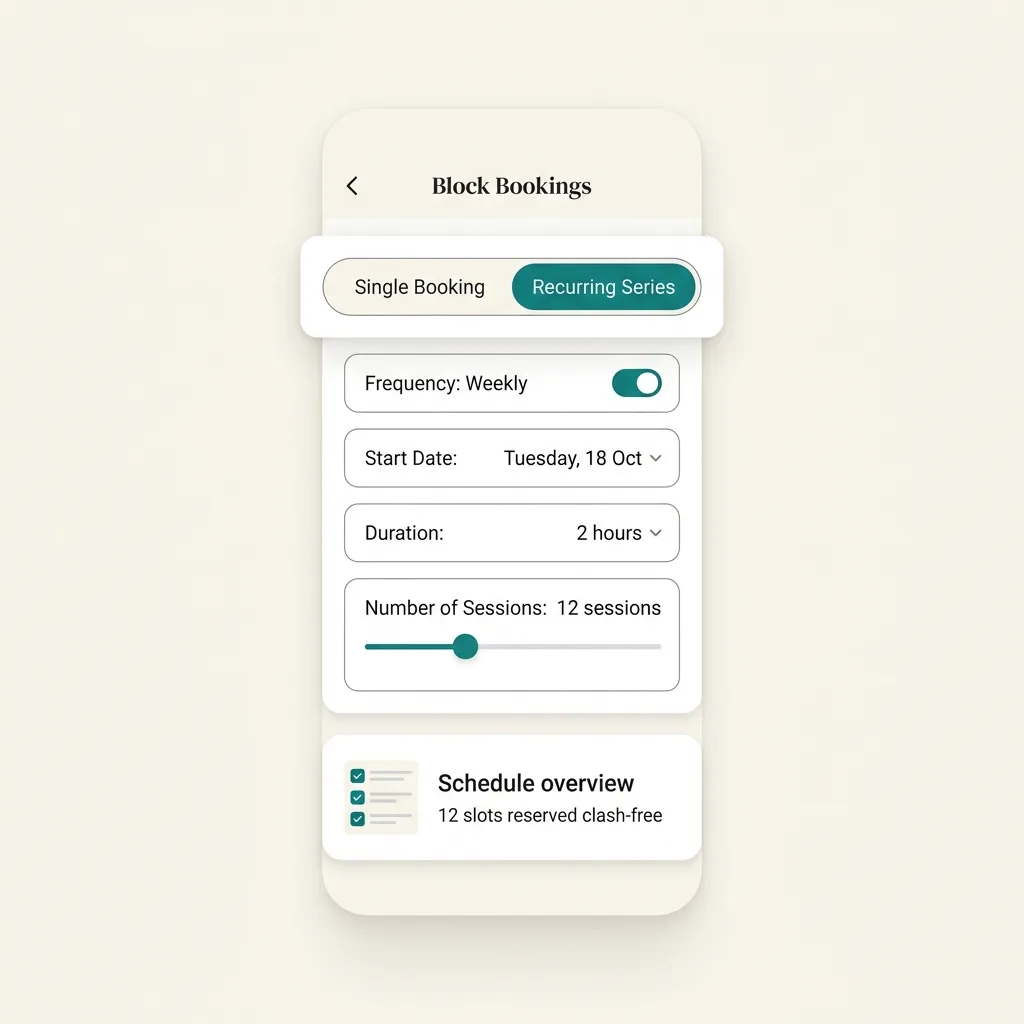
Recurring appointments

What it is

Book the same slot weekly, fortnightly or monthly in one go. I check every date, propose the best room for each, and flag any I can't fit.

The benefit

A six-month standing booking takes one minute, not 24 taps. You hear about the one clashing week now, not when the client is on the doorstep.

Why it matters

Regular clients are the backbone of a practice. The diary should treat them that way.

Private diaries

What it is

Members see their own bookings. Other people's names stay hidden unless you choose otherwise. Owners and admins always see everything.

The benefit

Confidentiality is the default, not a setting someone forgot to tick.

Why it matters

In a counselling service, who is in the building is sensitive information. A shared Google Calendar shows everyone everything. I don't.

Requests didn't fit neatly into the 2 days I work, so inevitably I'd be working on my days off. Doris has taken that from me, and I couldn't be more grateful.
Kirsten, Clinical Lead, Beyond Counselling CIC
Read the appointments setup guide

And whatever mode I'm in...

The rest of my CV. These work identically across appointments, venue hire and co-working.

Running the diary

  • The whole-building view Every room, the whole day, one screen. The whiteboard, retired.
  • Move and swap Relocate a booking or swap two, in two taps. The member is told automatically.
  • Book on anyone's behalf Phone bookings go in the right person's name, even before they've signed up, with an optional reason they can see.
  • Closure dates Bank holidays and boiler weeks blocked everywhere. I warn about existing bookings; I never silently cancel.

People

  • Three roles, no more One Owner, up to three Admins, everyone else books. Checked on my side, not just hidden in the app.
  • Members before sign-up Add someone by email and book for them today; their history is waiting when they join.
  • Active Membership Lapsed members pause after a threshold you choose. Two warnings first; one new booking wakes them.

Keeping everyone posted

  • A proper notification feed Approvals, declines, changes and warnings land in the app, with the admin's note attached.
  • The morning digest Today's bookings on your phone at 7, 8 or 9, your local time.

Money (yours, not mine)

  • Price lists on the rooms Costs shown during booking, before anyone commits.
  • Statements that don't drift Every line snapshotted at generation. The bill you sent stays the bill you sent.
  • Analytics built in Which rooms earn, which gather dust, who books most. You shouldn't pay extra to understand your own building.

Plays well with others

  • Your calendar, not just mine One-tap add-to-calendar, personal feeds, and a whole-org feed for the office screen.
  • An app without an app store Install from the browser in two taps; one tap from home screen to your bookings.

Find your setup

Not sure which way fits?

Answer three quick questions and I'll point you at the right mode, with the exact steps to set it up.

Find your setup

That's everything. Honestly.

No hidden modules, no "contact sales to unlock". Pick your mode, set your rooms, invite your people. I give you 14 days free the moment you sign up, add a week when you finish setup, and another when your fifth member joins: up to 28 days to be sure, no card required.

Start your free trial